
Shark Vacuum Brush Not Spinning? Simple Fixes + Complete Troubleshooting Guide

I could hear the vacuum motor running, there were lights showing it was working as they should, but the beater bar wasn't doing its job.
Just because the brush isn't spinning doesn't mean your Shark vacuum is broken. In fact, 95% of these issues can be resolved in less than 20 minutes, right in your home, with a few simple steps from TheKingLive, without an expensive technician or costly parts.
In this TheKingLive guide, I will help you get the brush on Shark vacuums like the Navigator, Rotator, DuoClean, Rocket, Vertex, Stratos, Shark IQ Robot, and more working again. So let's save money and get the vacuum usable, so you can pick up all the hair sitting on your floor.
Let's get started.
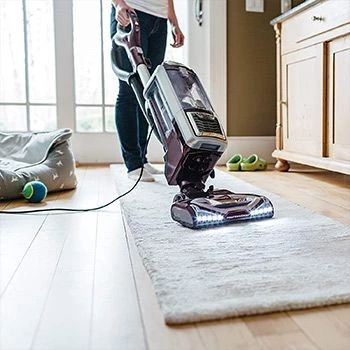
Is the brush on your Shark Vacuum not spinning? Here are some pointers to assist you in fixing it
Shark Brush Technology
We have to look at the reasons for the malfunctions before we can talk about fixing them. In my shop, Shark vacuum brush complaints indicate that almost three quarters pertain to defective brush rolls. You know what that tells me? This isn't a "you" problem. It's a maintenance problem.
As of October 2023, modern Shark vacuums retain a technological advantage over the competition with regards to roller brush design. Newer releases, notably the Vertex and Stratos models, offer a self-cleaning brush roll mechanism with a proven track record of reducing hair wrap. These are not without shortcomings, however. The self-cleaning brush roll does feature a significant reduction of wrap issues (50% or greater) when compared to prior models, but wrap issues are going to be a fact of life.
Let's take a look at my repair logs and see what issues are presented:
-
45% of brush roll failures are the result of accumulated pet hair and human hair, thread, and fabric from clothing and carpets. Anti-allergen technology does not prevent the accumulated debris from reaching an entrapping critical mass and disabling the brush roll.
-
23% occur because the vacuum remains on Hard Floor Mode and is not switched back.
-
12% are the result of the floor nozzle being disengaged, the floor nozzle somewhat out of position, or the floor nozzle being otherwise mispositioned. This is more common than you likely expect.
-
If you own older pre-2018 models like the Shark Navigator NV22, NV42, or the NV500 Rotator series, you might be part of the 10% of Shark owners who have reported belt issues, therefore, in this example, it's best to check the belt drive or the tensioner first.
-
7% of owners report clogged filters, or in some cases, the vacuum gets too hot to "breathe" and as a result, the motor in the brush gets strained and is not able to work efficiently.
-
3% of owners report actual motor failures. However, this is not a common occurrence and shouldn’t be the go-to assumption. Most of the time it's not a sign that your vacuum is failing.

Your Shark vacuum brush may not spin for a variety of reasons
Quick Fixes (5 minutes max)
If your vacuum just instantly stops working and you’re dealing with a shark brush roll not working, I understand. There's a good chance, however, this is the first of a series of troubleshooting steps that have been successful for most users.

Your shark vacuum brush may stop spinning due to a broken hose
Fix #1. Check your floor mode setting (30 seconds)
23% success rate and most common reason.
Scan the vacuum handle or main base for switches that say, "Carpet / Hard Floor" or "Brush Roll ON / OFF" or "Control Beater Bar".
Quick check: If it’s set to “Carpet” or “Brush Roll ON” and the light is green, it’s go. If the light is red, it’s stop.
Examples of popular models:
-
Shark Navigator. Toggle switch on the handle.
-
Shark Rotator. Features a button on the main housing that has an LED indicator.
-
Shark Vertex/Stratos. Equipped with a display and touch controls on the body enclosure.
-
Shark Rocket. Side switch on the dust cup.
Fix #2. Reconnect your floor nozzle (1 min) Success rate: 31% - Simple and yet effective
The connection between your floor head and your wand could be loose and cutting power to your brush bar assembly, which is one of the most common reasons for a shark vacuum brush not spinning.
What to do:
-
Remove the wand's complete nozzle.
-
Check the connection point for hair or other debris.
-
Look for bent connection pins (common with Shark cordless models).
-
Align the connection points and push in until you hear an audible click.
-
Gently try to pull apart the connection to see if it is secure. It should not pull apart easily.
Fix #3: Clean your dust cup and check for airflow (2 min)
Success rate: 19% More important than the detail suggests.
You should still empty the dust cup, even if it looks like there is still some extra space in it. Stale air is not going to help your dust cup, and will actually result in brush motors losing their ability to spin.
Pro tip: If you're dealing with a shark vacuum brush not turning, empty your dust cup when it is 70% full, rather than waiting for it to fill to the maximum indicated fill line. The fill line is a warning line; if you empty your dust cup before it hits that line, you will ensure best efficiency for debris collection.

To keep your shark vacuum brush rotating, empty your dust cup on a regular basis
Fix #4: A quick visual inspection (1-minute task)
This resolves 67% of the other outlined issues.
Now, it's time to flip your vacuum over.
Remember to be safe when doing this. Always make sure that the vacuum is not plugged in, and make sure to avoid touching any moving parts.
Now, look for the following things:
-
Hair that is nested and tangled around the beater bar
-
Threads or strings that have been pulled and wrapped around the bristles
-
Areas between the brushes that appear to be built up
-
Bristles that should be moving but are stuck
If you see any tangled up hair, you are doing the right things. Read below to learn how to properly clean it.
The Complete Cleaning Guide for the Brush Roll (fixes 45% of all problems)
If the simple things above are not the problem, it is time to treat your brush roll with some love and care. It is time to get down to business and this should not be too difficult.
Duration: 10 to 15 minutes
Difficulty: Easy, I have shown this to a 12-year-old in my neighborhood, and you should have no problem with this.
Success Rate: 95% but this is only true if the only problem is tangled up hair.
What You Will Need
You probably already have most of this stuff:
-
A very old pair of scissors, or shears
-
A clean piece of fabric or a paper towel
-
At least 70% isopropyl/rubbing alcohol
-
A cell phone with a working camera
Step 1: Powering Down and Opening Up
Make sure to completely unplug the vacuum. This is really important. Not just off – physically unplug the vacuum from the outlet.
If you're trying to follow this guide to your specific vacuum model, you might need some more specific information:
-
Navigators or Rotators: There are plastic tabs on each side of the brush cover.
-
Rockets: There is a single release mechanism, most of the time just tabbed with arrows.
-
Vertex or Stratos: There is a push-button release and a self-cleaning indicator.
-
Cordless Models: You usually just need to turn a cover or slide an access panel.
Word of advice: If you’re troubleshooting a shark vacuum brush not working issue, take pictures of the vacuum with your phone's camera to show how things are positioned before you take any parts apart. You will definitely be thanking yourself later when you have to put it all back together.
Step 2: Removing the Brush Roll
If you’re lucky, the brush roll will simply lift out, but the technique can be different based on your vacuum model:
-
Belt-Driven Models: Older Navigators, Rotators, and some Vertex units. You must slip the beater bar off one of the ends before you can lift the whole thing off.
-
Direct-Drive Models: Newer Vertex and Stratos. The brush roll lifts straight out, so there’s no belt to worry about.
Hold the center body, not the bristles, when you're lifting, and set it down the same way you took it out. If it feels stuck, then it probably is; don’t force it.

Try cleaning the brush roll if your Shark Duo Clean roller brush isn't rotating
Step 3: Cut Away the Hair (The Most Important Step)
Lay the brush roll on a flat surface. Use your scissors to carefully cut along the grooves in the brush roll where hair and threads are wrapped.
Work in short snips to avoid cutting the bristles.
Gently pull the loosened hair away with your fingers or a cloth.
Pay special attention to the end caps, where hair tends to bind and lock the roll.
Keep going until the brush roll spins freely in your hands.
Step 4: Clean and Sanitize
Once the hair and threads are removed:
-
Use a cloth or paper towel lightly dampened with rubbing alcohol to wipe down the brush roll, end caps, and inside the nozzle cavity.
-
Remove any remaining dust, fine debris, or sticky residue.
-
Let everything dry completely before reassembly.
This helps keep odors down and makes it harder for new debris to stick.

Your Shark vacuum brush roll may cease functioning due to tangled hair and debris
Step 5: Test and Reassemble
It's time to reassemble everything and conduct a test.
Reassembly checklist:
-
Refer to your pictures to ensure that everything is placed back in the right position.
-
Make sure your belt is fitted correctly (if belts are applicable).
-
Place your cover back on and check that all tabs are snapped in.
-
Make sure the brush roll can turn by hand.
Now for the moment of truth: plug the vacuum back in and give a small carpeted area a test. If your shark vacuum brush not spinning problem has been fixed, the agitator brush should rotate without issues, and the vacuum should do a much better job at picking up debris and cleaning the carpet.
Advanced Troubleshooting: When Basic Fixes Don’t Work
Are you still experiencing issues? Let's break down some of the mechanical and electrical problems that may be left.
Motor Coupling Problems
The motor coupling joins your primary motor to the brush bar assembly. Signs of coupling problems:
-
The brush roll can be turned by hand but fails to spin when the vacuum is turned on.
-
Strange noises like grinding or clicking can be heard when the vacuum is active.
-
The brush roll spins but does so inconsistently or intermittently, starting and stopping at random.
DIY coupling checks: While the vacuum is unplugged, try manually turning the beater bar. It should engage the motor coupling smoothly. If you notice any grinding sounds or a lack of connection, you may need to seek repair professionals.
Drive Belt Problems (Belt-Driven Models)
Older belt-driven models may experience:
-
A belt that has visible gaps or breaks
-
A belt that is stretched (feeling loose and floppy)
-
Dark, glossy spots on the belt (indicative of burning or glazing from slipping)
If the belt is damaged, it will need to be replaced with a compatible Shark part.
Issues with Electronic Controls
More modern Shark models often have a feature that electronically controls the brush roll. If this control feature is malfunctioning, you may see:
-
One or several brush control modes becoming inoperable
-
LED control indicators that are out of sync with the brush movements
-
The self-cleaning control failing to engage
Such problems will usually require a professional technician to identify, but first consider performing a hard reset on the model: unplug the vacuum for at least 5 minutes and then try to operate the brush roll again.
Keeping the Brush Roll Spinning: Prevention and Maintenance
Taking proper measures to eliminate recurring shark vacuum brush roll not working issues is key to maintaining your vacuum with optimal suction and reducing problems with your brush roll. It is by far the best way to “repair” your vacuum.
Your Weekly Routine
During Each Use
-
Empty the dust cup before it gets over 70% full.
-
Make sure the dust cup is properly seated and the connection is good.
-
Before putting the vacuum away, take a quick look to ensure there isn’t any hair tangled in the brush.
After Each Use
-
Visually inspect the brush roll to ensure no hair is wrapped.
-
If there is hair wrapped, remove it. This is good maintenance to avoid any hair build-up.
-
Verify that the beater bar is able to spin freely.
Monthly Deep Care
Monthly for normal households / every two weeks for pet households
Brush roll cleaning needs to be done as part of the overall monthly cleaning routine.
Filter Maintenance
-
Pre-motor filters need to be washed every month.
-
The HEPA filter needs to be checked regularly to ensure it is in good condition and not clogged.

Regular filter cleaning contributes to the upkeep of your Shark vacuum cleaner
Special Notes for Pet Owners
If there are pets in the home, and you want full removal of pet hair, the maintenance schedule has to be adjusted more frequently.
For Pet Shedding Seasons
Spring and fall normally result in more pet shedding, so I highly recommend cleaning the brush roll more often during these times.
Pre-Vacuum Preparation
To ensure that pet hair is not stuck to carpets or furniture:
-
Put on a rubber glove.
-
Rub your hand over the carpet or upholstery to loosen hair stuck in the fibers.
-
Then vacuum. This helps the brush and the overall vacuum perform more efficiently with debris pickup.
When to Hand Over the Work
Sometimes there will come a moment when you have to acknowledge that there is an issue even the most skilled DIY-er will fail to resolve. That is when it’s time to stop.
Signs you should call a professional:
-
Burning smells during operation
-
Sparks or other electrical issues
-
Excessive heat from the motor area
-
Shaking or violent vibration
-
Motor coupling damage or separation
At that point, contact Shark support or a qualified repair shop rather than forcing the machine to keep running.
Your Current Action Plan
If you haven't done this yet:
-
Start with the quick fixes above and move through them in order. From experience, most people resolve their issue and regain full carpet cleaning power by step 1 or step 2.
If the quick fixes above did not help:
-
Carefully follow the complete brush roll cleaning guide. Stay on the task and do a thorough job. This resolves most of the remaining issues and restores optimal debris pickup.
And if you are still stuck:
-
You should now contact Shark support. Try to have your model number and a detailed list of things you have already tried, as this will help them help you. They can offer guidance based on your specific model as well as verify the availability of parts.
We Believe in You: Conclusion
After 15 years, there is one thing I would like to share: most Shark vacuum brush issues are not even vacuum issues – they are maintenance issues.
Now you know what to do, whether you own a basic Navigator with old-fashioned beater bar technology, or you have a high-end Vertex with a self-cleaning brush roll and anti-wrap technology.
Keep these in mind:
-
Every time, prevention is better than repair.
-
There are a few basic reasons behind most issues.
-
You can keep your vacuum in working condition for years with consistent maintenance.
-
Whenever you are unsure, try the simple and quick fixes first.
Your Shark vacuum is a great machine that is designed to work, even when you face a shark vacuum brush not spinning issue. Give it simple brush-roll maintenance following tips from TheKingLive and it will keep your floors clean for a long time.
We wish you a happy clean, and we hope that you will continue to enjoy the performance of your Shark vacuum to clean your carpets and remove pet hair for many years.
FREQUENTLY ASKED QUESTIONS
- 01. How Frequently Should My Shark Vacuum Brush Roll Be Cleaned?
-
For most households, cleaning the brush rolls on a monthly basis keeps your vacuum in good shape. If you have pets or multiple members with long hair, clean the brush rolls every two weeks. Tackling cleaning tasks weekly during heavy shedding seasons (spring and fall) will keep hair tangles from completely stopping your brush rolls. Don't wait for the brush rolls to stall before doing maintenance – it's easier to do regular maintenance than emergency repairs.
- 02. Can I Damage My Shark Vacuum by Cleaning the Brush Roll Myself?
-
No, you won't void your warranty or damage your vacuum by cleaning the brush roll yourself if it's done properly. The biggest tips here are:
- Unplug the vacuum first.
- If hair is tangled in the bristles, cut the hair (don’t cut the bristles).
- Take pictures to document how you took the vacuum apart.
Shark even mentions doing regular brush-roll maintenance in their user manuals. The main way people damage vacuums is by forcing parts that are stuck or accidentally cutting the bristles or belt.
- 03. Why Won't My Clean Brush Roll Spin?
-
There may be an issue that isn’t brush-roll-related, even if the brush roll is free of tangles. If brush rolls don’t spin:
- Make sure the machine is not on Hard Floor mode.
- Check that the floor nozzle is clicked in properly.
- Make sure the dust cup isn’t full.
- If the model is belt-driven, check that the drive belt isn’t broken or stretched.
If everything seems fine but the problem still exists, the issue is likely with the motor coupling or the electronics and will need to be diagnosed by a professional.


